
Monday, 27 February 2012

Download Google Books Easily


As Google books has the largest collection of books around the world.You will surely get all the books you need. But, the problem is that they don't allow you to download the books. Although, you can read them online as many times you need.

Here i've a method by which you can download these ebooks in pdf format to your PC and read them later on any device.
  • To download ebooks from google we need a handy software gbookdownloader.
  • It can download any ebook from Google books for free.
File Size : 820.7 Kb

File Size : 5.0 Mb

HOW TO USE 
  • Download and Install gbook downloader.
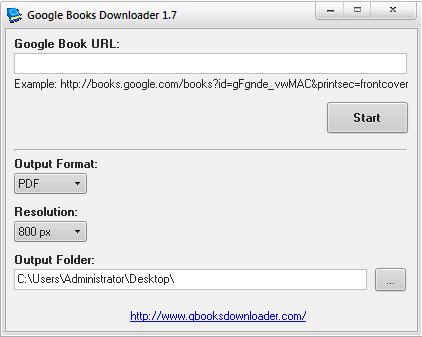
  • Now go to Google books (/>). 
  • Search for the book, Open the the page that contains the book, and copy the URL of the page from the top.
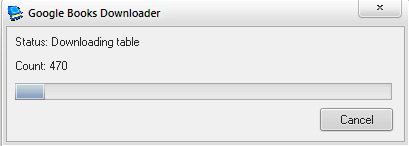
  • Now paste the copied url  in gbookdownloader and press start.
Sunday, 26 February 2012

How to tweet longer than 140 characters limit from Twitter

Twitter is a popular micro-blogging website on which users are allowed to post tweets of up to 140 characters only. But there are some services which offers users to tweet beyond this limit. But it is hard to find an app for this. But Android has a cool app which offers users to tweet more than 140 characters.
TwitLonger is a free app in the Android market that offers users to tweet more tha 140 characters limit. After installation, you need to authorize the app to access your Twitter account. After that compose the tweet from the textbox. You will see a character counter just above the textbox to know the lenght of the tweet you are going to post. After composing the mail, click on Tweet button. Now go to your Twitter account from the web browser and see the tweet posted. You will see a tweet posted by the TwitLonger. Characters in the Tweet that extend beyond the 140 character limit, you will see a link saying tweets posted via Tweet Longer.  In order to read the full message, you need to hit the short URL provided alongside the message.

Saturday, 25 February 2012

>>'-:-' know your airtel own number NEW '-:-'


New method to check your own airtel number

first time on NET
no call/no sms

just dial- *400*2*1*1*0#

Hide Google+ notification and share box from Google's navigation bar

Google has now added the Google+ share box on the black navigation bar which is shown on all the Google's services. It has already added the notification box on the navigation bar. Google has added this to give users a quick way to share on Google+. But you can remover this notification bar and share box easily.

Follow these steps

On Google Chrome:


  • Go to the link and install “Go Away! Google Plus” on your Google Chrome web browser.
  • Now you will not see the notification bar and share box on the navigation bar.


On FireFox: 

  • Install Greasemonkey Firefox add-on on your Firefox, if you have not already installed.
  • Now click on install a new script in Greasemonkey.
  • Write *://*.google.*/* in the box where it asks for Includes.
  • Write *://plus.google.com/* in the box where is asks for excludes.
  • Now select notepad as text editor which will open a new notepad
  • Now copy-paste the script from the link Here .
  • Save the script with ctrl+s.
  • Now see the effect.

PAGEVIEWS